Washing Machine Timer
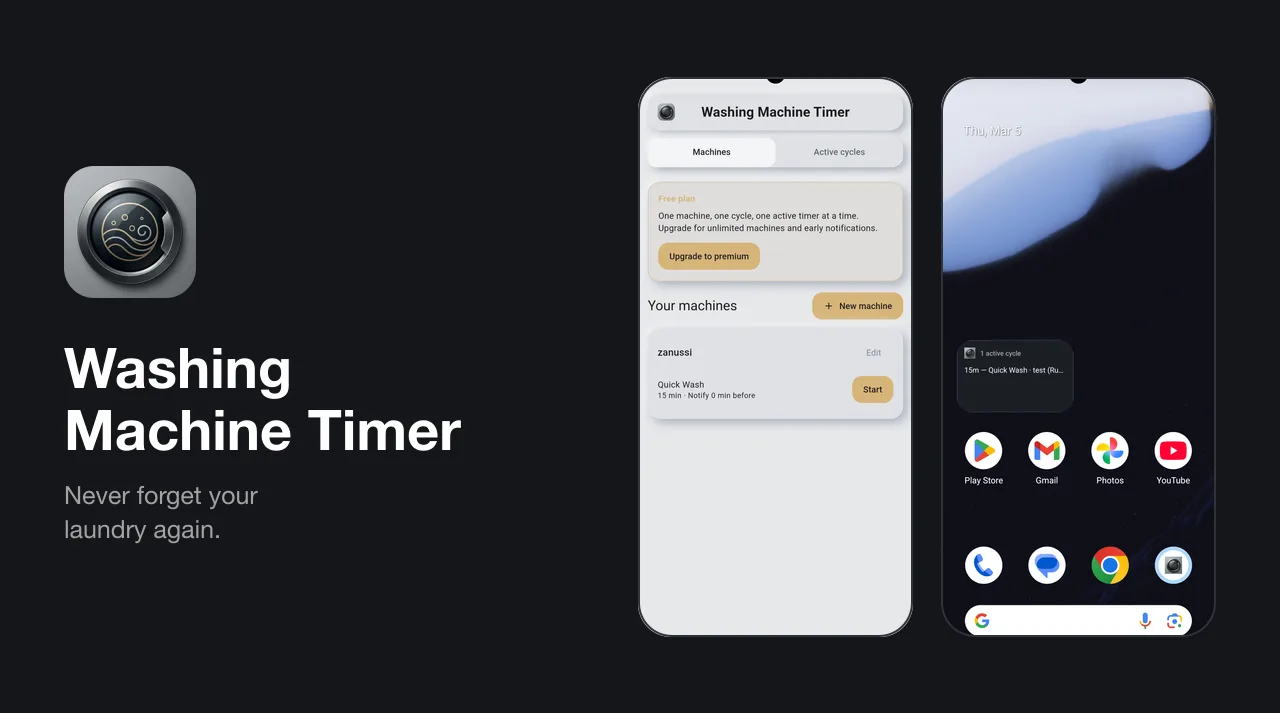
Our own laundry timer for iPhone and Android: save your machine’s programmes once, start one with a tap, and get told when the wash is done — even with the app closed.
The brief
A washing machine tells you how long it has left, and then you walk away from it. The phone’s own timer will do, but it means typing the same duration in every time, it has no idea which machine or which programme it is timing, and a house with two machines — or a shared laundry room — ends up juggling several anonymous alarms.
Washing Machine Timer is our own product, and deliberately small. The brief was to do one job properly on both iPhone and Android: save a machine’s programmes once, start one with a tap, and get an alert that arrives on time whether or not the app is still open — with no account to create, and the machines and timers kept on the phone.
The details
A timer that stops when you leave it is worse than no timer, and on a phone the app is going to be killed — swiped away, suspended, or the phone restarted halfway through a long cotton wash. So the app never counts anything down. A running cycle is stored as the moment it started plus the seconds it has spent paused, and the time left is worked out from the clock whenever something asks. The alert is handed to the operating system the moment the cycle starts — as an exact alarm on Android, falling back to an inexact one if exact alarms aren’t allowed — so it fires whether or not the app is still alive. Pausing cancels it; resuming schedules a fresh one from whatever time is left.
The countdown outside the app was the hardest part, because each surface has its own idea of a ticking clock. An Android home-screen widget can’t count down on its own, so while a cycle runs a low-priority service keeps a silent ongoing notification and redraws the widget once a minute, then stops itself as soon as nothing has time left. iOS widgets get a timeline instead: the app writes a snapshot to a shared container and the widget pre-builds one entry per minute, up to two hours ahead. Live Activities go further — the Lock Screen and Dynamic Island draw the countdown themselves from the finish time. Every surface works from the finish time rather than a stored countdown, so a late redraw is never wrong.
Custom alarm sounds look like a settings toggle and turned out to be a fight with both platforms, because a notification sound is played by the operating system, not the app. On Android a notification channel’s sound is fixed once the channel exists, so every sound the user picks gets a brand-new channel and the old one is deleted, and the file is copied into the system’s media store so Android is allowed to play it. On iPhone the sound must be a WAV, AIFF or CAF file of 30 seconds or less in the app’s own Sounds folder — so the app reads the WAV header to check the length, and lets people pick an MP3 anyway so they get a plain explanation instead of a greyed-out file. Alerts already scheduled keep their old sound, so changing it reschedules every running cycle.
The outcome
Washing Machine Timer went live on Google Play on 17 February 2026, the day after the first commit, and on the App Store on 4 March once iOS support, widgets and dark mode were in. Version 1.5.0 followed in July with Live Activities, custom alarm sounds, the Android ongoing notification and an in-app feature request form. It is free with ads, with Pro as an in-app upgrade.