Latka
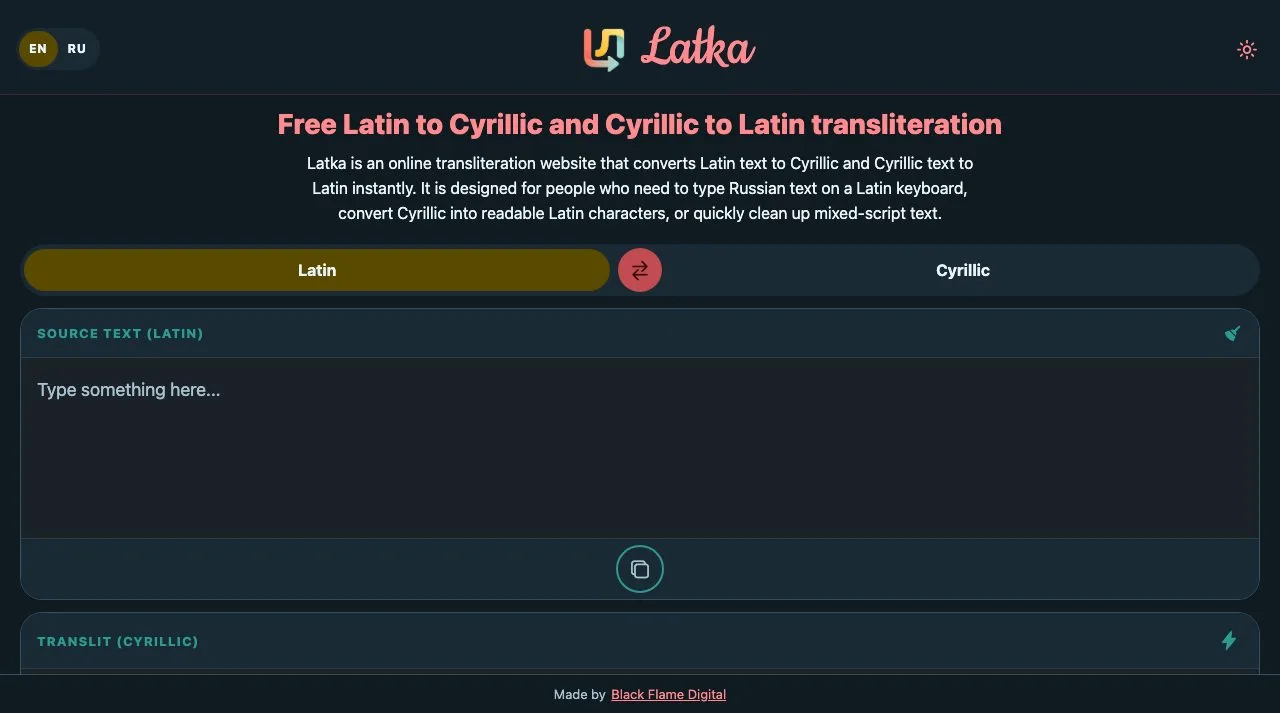
Our own Latin-to-Cyrillic converter: free on the web, and an iOS and Android app that adds a Transliterate action to text selected in any other app.
The brief
Plenty of people write Russian on phones and laptops set up for English — people living abroad, learners, families spread across countries — and most never install a Cyrillic keyboard. The usual workaround is a transliteration website: type the word phonetically in Latin letters, copy the Cyrillic, switch back, paste. We hit that loop ourselves often enough to notice what it really costs: every message means a trip out of the app it is being written in.
So the brief was never “another converter website” — there are plenty. It was to take the conversion to where the text already is: select a word in any app and transliterate it on the spot. The app screen and the website still matter, for anyone who arrives with a paragraph to convert, but they are the front door rather than the point. And as our own product it had to pay its way without a backend: no accounts, and nothing of ours to host beyond static files.
The details
The first spec listed five ways into the operating system — a clipboard monitor, a share target, a text-selection action, a floating bubble, and a full custom keyboard. The keyboard was the most powerful and by far the most expensive: a separate sandboxed process on each platform, with no React Native inside it. We shipped the text-selection action alone, because it delivers most of the benefit for a fraction of the build. On Android that’s a real entry in the Copy/Paste menu: an invisible activity receives the selection and, in an editable field, swaps it for the converted text in place; in read-only text it copies the result instead and says so. iOS gives other apps no way into that menu, so Latka ships an Action extension in the share sheet, which converts the selection and leaves it on the clipboard to paste back.
Those system actions run outside the app, with no JavaScript runtime to call into, so the engine exists three times: TypeScript for the app and website, Kotlin for the Android action, and Swift for the iOS extension — the same rule table and the same greedy longest-match algorithm in each. Reading left to right and always trying the longest rule first is what makes shch come out as щ rather than ш followed by ч; in the app and on the site, a + sign breaks a match on purpose, so s+hodit gives сходит, not шодит. Capitals follow the input — Privet becomes Привет, PRIVET becomes ПРИВЕТ. The system-wide action has to guess the direction itself, so it treats text as Cyrillic when more than half its letters are, and on iOS it tries the other direction if the first would hand back the text unchanged.
The app and the website are one Expo codebase. Screens that need to differ have web-specific versions — the site gets a landing layout with the typing guide and store links — and the purchase and ad modules have web stubs, so RevenueCat and AdMob never reach the browser bundle and the site stays free. The paid toggle for the system-wide action is enforced where the action lives: on Android, switching it off disables the activity outright, so Transliterate disappears from the menu rather than appearing and doing nothing; iOS can’t hide an extension, so the extension reads a flag shared through an App Group and explains, in English or Russian, how to turn it back on.
The outcome
Latka is live on the App Store and Google Play — free, with a banner ad and a lifetime Pro upgrade — and the converter runs free in the browser at latka.app. It went from first commit to both store listings in the second half of April 2026. Russian is the only language supported for now.